Faster Order Creation in Z24: Fewer Clicks, Easier Repeat Purchases

A visit to a regular customer often has a simple goal: recreate a familiar basket, adjust quantities and make a few changes based on the conversation. Problems arise when representatives have to find the same products in the catalogue, revisit earlier documents or manually check frequent purchases.
Z24 now includes order creation improvements designed for this scenario. The main addition is Usually Purchased, which helps representatives quickly find products a customer orders regularly and add them to the current document with fewer clicks.
The new tools are available on demand. They preserve existing workflows and are there when they make customer service faster.
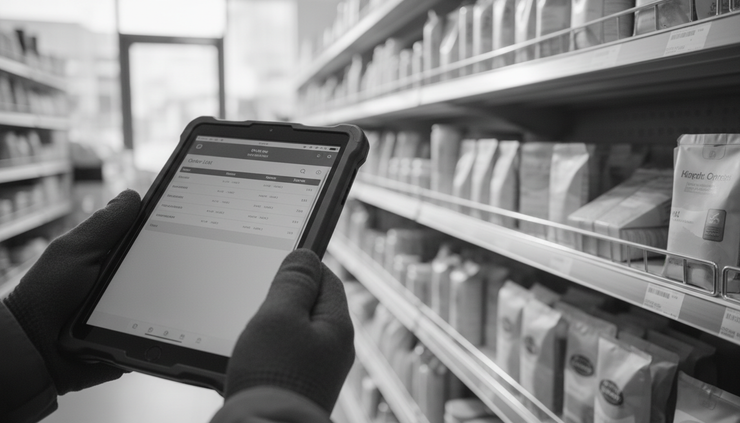
Usually Purchased suggests products from customer history
Usually Purchased is designed for customers who repeatedly order similar products. Instead of starting with an empty order and searching item by item, representatives can view products that recur in the customer's recent documents.
Z24 analyzes earlier orders and shows regularly purchased goods. The list is a practical suggestion based on purchasing frequency, rather than an arbitrary history.
Each product shows two particularly useful details:
the last purchase date,
the number of documents containing the product.
If a product appeared in seven of the customer's last ten documents, the representative sees this immediately alongside the last purchase date. They can quickly assess whether it is a regular item, seasonal or bought only occasionally.
This makes the conversation more specific. Instead of asking “Shall we order the usual?”, representatives can discuss the recurring products on screen with information that helps the decision.
Less searching during customer visits
The feature is especially useful when visiting customers who regularly buy a similar assortment, such as stores, food service businesses, local wholesalers and other repeat buyers.
Representatives do not have to reconstruct orders from memory or browse many documents. Z24 suggests products that actually recur in recent purchases.
For example, a customer orders a dozen similar items weekly but changes quantities, skips some goods or adds new ones. Usually Purchased provides a relevant starting point. The representative selects products, adjusts quantities and adds them to the document.
This is particularly useful for B2B orders with many lines and busy customer conversations. Less time goes into operating the app, and more into understanding needs.
Add multiple products at once
The feature goes beyond viewing history. Representatives can select several products together and adjust suggested quantities before adding them.
The selected items are then added to the order in one operation, without opening each product and repeating the same steps.
Z24 applies current prices, commercial terms and promotions. The product list comes from history, but the order follows current sales rules. History guides assortment selection while the system keeps commercial data current.
The previous customer document is easier to access
A second improvement provides a quick view of line items from the customer's previous document. This is useful when the new order should resemble the last one rather than broader purchase history.
Representatives can check the previous document, select products and add them again. This suits requests such as “Repeat the last order without a few items” or “The same products, but different quantities.”
The practical difference is:
Usually Purchased identifies products that recur regularly in recent customer documents.
Useful for regular purchases and recurring baskets.
Previous Document helps recreate the most recent specific order.
Useful for quickly repeating the last document.
Both tools complement each other: one highlights regular purchases, the other provides fast access to the latest order.
Change quantities without opening full line item editing
Another improvement covers a frequent task: adjusting product quantities. Customers may want fewer packs, five extra units, a different number of cartons or a correction after checking stock.
Z24 lets representatives change quantities faster without opening the full line item editor. This small improvement becomes especially useful in longer documents.
Every window avoided and quicker correction reduces distraction. Representatives see the document, change the value and move on.
Apply a final discount in bulk where permitted
Representatives can also set a final discount in bulk for eligible line items. This helps when agreed terms cover a group of products or several lines need the same discount.
Z24 enforces restrictions. Promotional products are automatically skipped, as are items where the requested discount exceeds the permitted limit.
After the operation, users receive a clear summary showing which items changed and which were skipped, with reasons.
This improves convenience, reduces mistakes and helps prevent discounts that conflict with company rules.

Improvements available when needed
These features complement the existing ordering process. Users do not need to change habits or follow extra steps for every document.
Usually Purchased, the previous document view, quick quantity changes and bulk discounts are available on demand. Representatives choose them when appropriate.
Simple orders can follow the familiar process. For regular customers, longer baskets and repeat purchases, the new tools shorten the workflow.
This suits teams developing sales automation through an SFA system while keeping daily work straightforward. Z24 adds options without imposing them in every scenario.
What representatives and sales teams gain
These improvements address practical issues that arise in everyday order creation. Their purpose is a shorter path to a completed document.
Key benefits include:
less time preparing orders,
fewer clicks for repetitive tasks,
fewer errors in product selection, quantities and discounts,
easier service for regular customers,
faster reordering from customer history,
greater control of discounts and promotional items.
For representatives, this means smoother visits and less manual reconstruction. For managers, it means a more organized process with pricing and discount rules still enforced by the system.
The best way to assess these improvements is to try them on your next regular customer's order. Start with Usually Purchased, review the suggested products, adjust quantities and add selected items together. The reduction in clicks should be clear from the first recurring basket.


Comments